
Business Email · SyncMX
Business email that keeps up with you.
you@yourcompany.com on the web, desktop and phone — with contacts, calendar and reminders built in, smart replies, undo send, passkey sign-in and anti-spam filtering. Per user or pooled storage for your team.
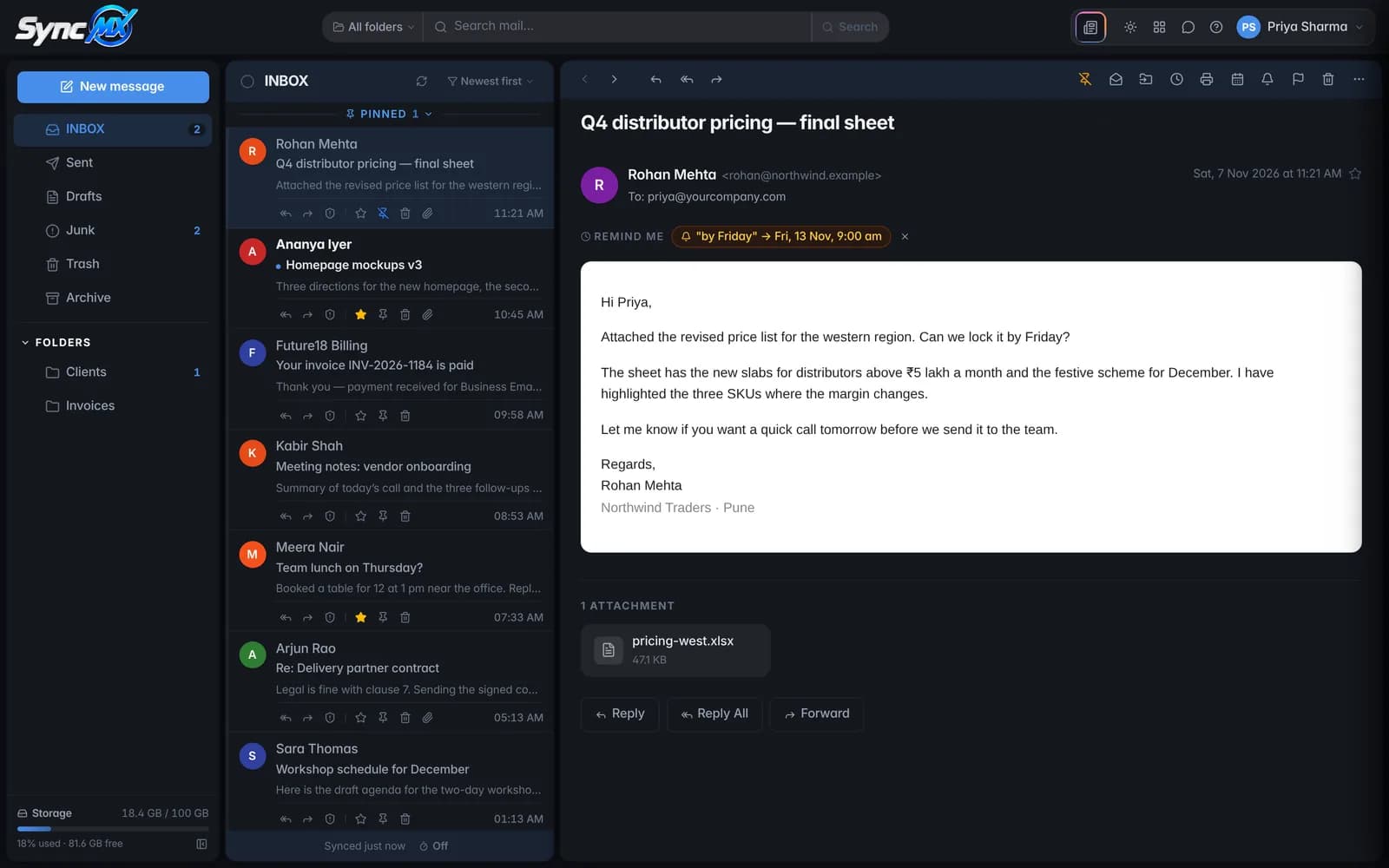
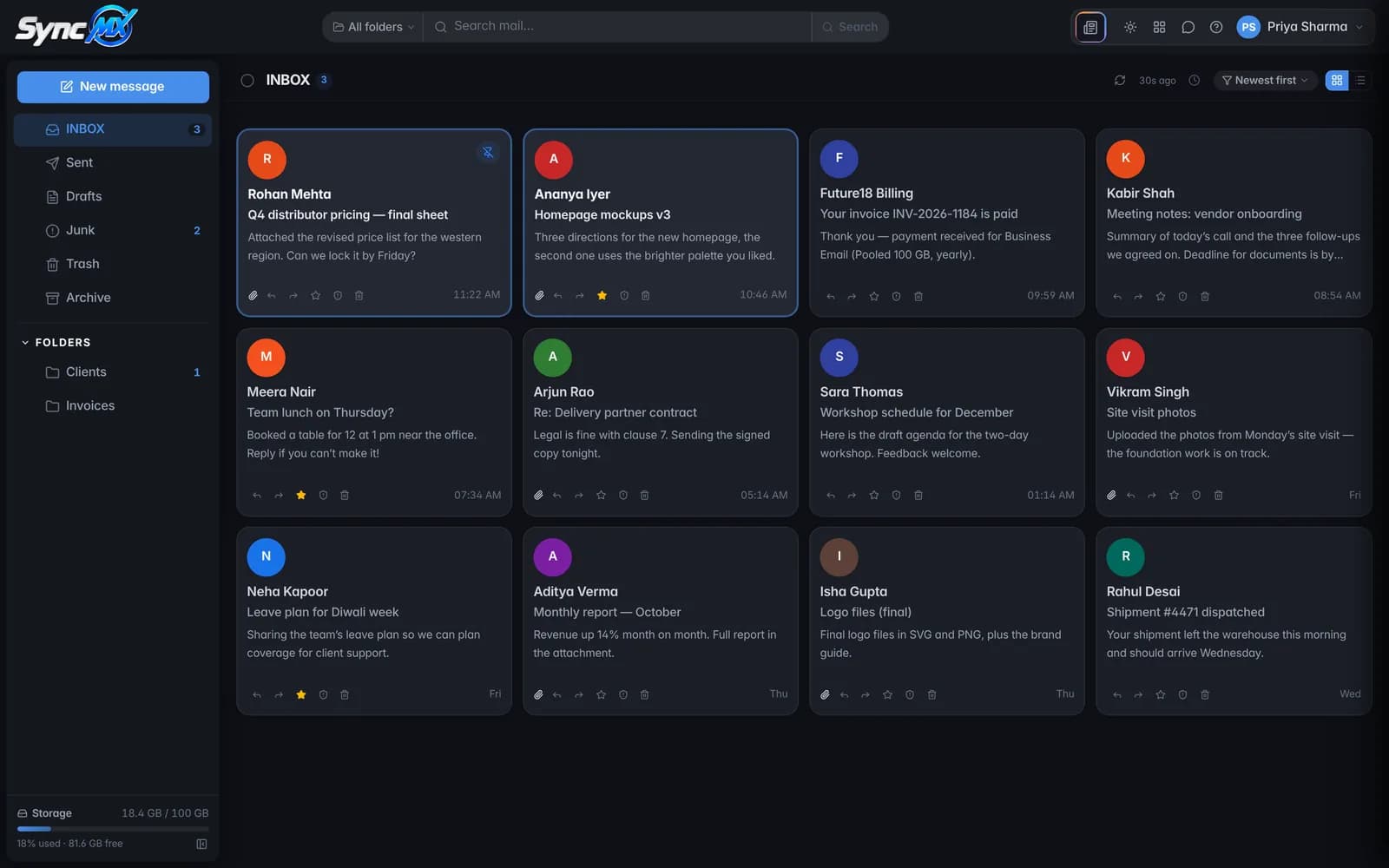
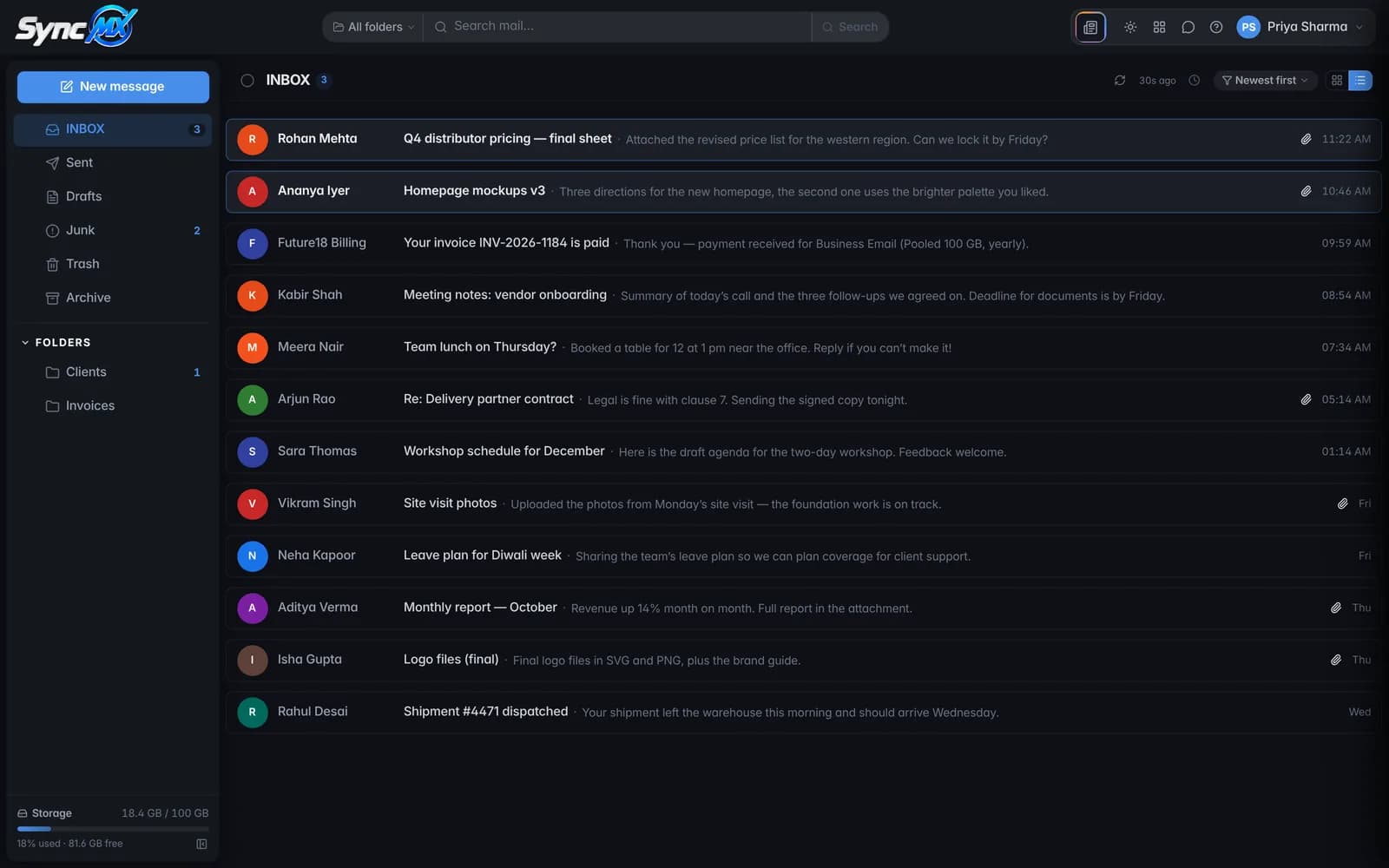
Web
mail.syncmx.com in any browser
Desktop
Windows, macOS and Linux — works offline too
Mobile
Android and iPhone with push notifications
One workspace
Mail, contacts, calendar and reminders — in one app.
Open the Apps launcher in SyncMX and everything your day runs on is one click away, on every device.
Your own domain on web, desktop and phone
IncludedContacts
Address book with groups, synced everywhere
IncludedCalendar
Meetings and appointments, events from email
IncludedReminders
Due dates, alerts, tick them off when done
IncludedTo-Do
Task lists for you and your team
PlannedNotes
Quick notes next to your mail
PlannedCloud Drive
Files and attachments in one place
PlannedPricing
Pay per person, or share one pool.
Slide to your team size and see the price straight away. Billed monthly or yearly.
A license per mailbox · 25 GB each
$0.02per user a day
Billed monthly or yearly for the number of licenses you choose — no daily billing.
Extra 25 GB for 0 of 10 users
50 GB each · +$7.99/yrDoubles that user’s storage — and their license fee.
More than 100 users?
We set up larger teams with a custom quote — migration of your existing mailboxes included.
Your total
$79.90
billed yearly · ≈ $6.66 a month
- 10 × license
- $79.90
- Storage
- 250 GB in total
For 10 mailboxes, Pooled 100 GB is $74.99 a year — $4.91 less, with the storage shared.
Prices exclude GST (18%, charged on Indian billing addresses only). Prices in your currency are converted from INR at today’s rate and confirmed when you order. Business Email is billed monthly or yearly; the daily rate is shown for comparison only.
Features
Everything your team expects — and a few things it won’t.
Smart replies
AI Auto Action
Deadlines spotted for you
Undo Send
Snooze & send later
Pin, star & bulk actions
Contacts & groups
Calendar & reminders from email
Fast search
Your layout, light or dark
Works offline on desktop
Instant push
Anti-spam filtering
Spam / Not spam in one click
Safe links & attachments
Safe by default
Built to stop the mail that hurts businesses.
Most break-ins start with an email: a stolen password, an infected attachment, a fake link. SyncMX and the Future18 mail server close those doors for you.
- Passkey sign-in — fingerprint, face or device PIN; use your phone to sign in on a computer
- A challenge after repeated wrong passwords, so guessing stops
- Dangerous attachments (.exe, scripts, macro documents) blocked — also inside ZIP, RAR and 7z archives
- Anti-spam filter on every incoming message: spammers and scam patterns stopped before your inbox, with a Spam folder for the rest
- Spam / Not spam in one click — the filter remembers the sender for your mailbox
- Links in suspicious mail made safe before you click
- F18 Shield on the mail server and hijacked-mailbox rescue: a mailbox that suddenly sends spam is paused and its owner told
Compare
Professional email, priced for small teams
| What you get | SyncMX at Future18 | Per-user email suites | Free webmail |
|---|---|---|---|
| Your own domain | |||
| Price | Per user or pooled; included with a Future18 server | Monthly fee per user | Free |
| Web, desktop and mobile apps | Web and mobile | ||
| Contacts | |||
| Calendar | |||
| Reminders | Varies | ||
| To-Do lists | Planned | Varies | |
| Notes | Planned | Varies | |
| Cloud Drive | Planned | Varies | |
| Anti-spam filtering | |||
| Spam / Not spam that remembers the sender | Varies | ||
| Links in spam made safe | Varies | Varies | |
| Smart replies | Often a paid add-on | Varies | |
| Undo send, snooze and send later | Varies | ||
| Deadlines in email turned into reminders | Varies | ||
| Passkey sign-in | Varies | ||
| Attachments checked inside ZIP, RAR and 7z | Varies | Varies | |
| One company for your server, domain and email | |||
| Support on WhatsApp |
General comparison of typical offers; check each provider’s current plans. “Planned” features are not part of SyncMX yet.

Managed from the same panel as your server
Create mailboxes and forwarders for your domains in the HWorker Control Panel, next to your websites and DNS — no second provider, no second bill. The AI Agent can reset a mailbox password for you; the new one goes to the mailbox’s recovery email, never into the chat.
- Mailboxes, forwarders and aliases on your own domains
- Mailbox passwords and passkeys managed per user
- IMAP and SMTP for any mail app
- Works with your VPS or dedicated server
- Help on WhatsApp when you need it
Business email questions
Something else on your mind? Write to us on WhatsApp or by email — a person answers, with the AI Agent’s notes at hand.
How is business email priced?
Two ways. Per user: a license for each mailbox with 25 GB, shown as a rate per user a day and billed monthly or yearly; extra 25 GB for a user doubles that user’s fee. Pooled: one storage pool shared by up to a set number of mailboxes (25 GB for 5 up to 500 GB for 50), with extra 100 GB blocks when you need more space. There is no daily billing for email.
Pooled or per user — which should I pick?
Per user suits a few mailboxes or people who each need their own fixed space. Pooled suits teams: everyone shares one pool, so a busy inbox can use more while others use less, and it usually costs less once you have several mailboxes. The price calculator on this page shows both for your numbers.
I have a Future18 server. Do I still need a plan?
Mailboxes on the domains hosted on your Future18 VPS or dedicated server are part of the server. The plans on this page are for business email on its own, without a server.
Which apps can I use?
The SyncMX web app at mail.syncmx.com, the desktop app and the mobile app — all with mail, contacts, calendar and reminders. You can also use any standard mail app (Outlook, Apple Mail, Thunderbird) through IMAP and SMTP.
What do contacts, calendar and reminders include?
Contacts with groups (type a group name in “To” to mail everyone), a calendar for meetings and appointments, and reminders you tick off when done. You can add an event or a reminder straight from an email, and SyncMX spots deadlines like “by Friday” and offers a one-tap reminder.
Are To-Do lists, Notes and Cloud Drive available?
They are planned. Today, reminders cover simple to-dos (each one can be marked done). We will announce To-Do, Notes and Cloud Drive when they are ready — they are not part of the current apps.
Is there spam protection?
Yes. Every incoming message goes through the Future18 mail filter before it reaches the mailbox: known spammers, scam and phishing patterns are stopped and doubtful mail goes to the Spam folder. Mark a message as spam (or as not spam) in SyncMX and the filter remembers that sender for your mailbox. Links in spam are made safe and dangerous attachments are blocked.
How are mailboxes kept secure?
Sign-in with passkeys (fingerprint, face or device PIN), a challenge after repeated wrong passwords, dangerous attachments blocked — even inside ZIP, RAR and 7z archives — links in spam made safe, F18 Shield on the mail server, and our hijacked-mailbox rescue if a password ever leaks.
Does the AI read and act on my mail?
Smart replies draft a reply only when you ask. AI Auto Action (desktop, off by default) learns what you usually do with mail from a sender and suggests it — nothing happens until you confirm.
Can I move my existing email?
Yes. Tell us where your mail is today; we explain how to bring your mailboxes and old messages across with minimal downtime.